For a number of years I have networked our home PCs. I did it for the usual reasons: to share devices like printers and storage, and resources like internet access and media files. I think my enthusiasm peaked in about 2002 while I was doing a Cisco networking subject at UTS. But over the last few years I have tried to take a more pragmatic approach. I stick with regular consumer hardware and software and I try not to indulge my IT excesses. If I can justify it I still like to configure things manually but I no longer collect junk for repair and improvement.
Our current network comprises:
- 3 PCs running Win XP +SP3,
- 1 web/storage server running Ubuntu 9.04
- 1 laptop running Win XP +SP3
- 1 PS3
- 2 mobile phones with wifi
The PS3, laptop and 1 PC connect wirelessly. 2 PCs and the server use fast ethernet cables. I also incorporate an 8-port switch for ease of cabling and to accomodate workbench projects.
Until last week I was using a Dynalink RTA1025w wireless modem/router connected to Exetel 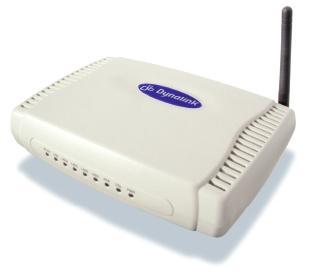 ADSL2. It had performed well for a few years but in recent months our net access was getting flaky. Everything still worked and it synched at 12 Mbps but anything that required a consistent connection seemed slower. I had a look inside the Dynalink and sure enough some caps were swollen. I replaced them but it only lasted for a day after surgery. Maybe my soldering was sloppy or maybe it was just a very cheap PCB.
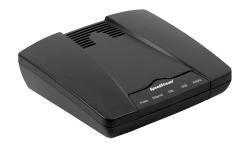 To maintain our net access while I decided what to do I installed a Siemens Speedstream 4200 ADSL modem. I have two of these in the workshop. They are very simple WAN/LAN modems with only 1 LAN port and used to be given away by Optus and Telstra as part of broadband package deals. Many people immediately replaced them with a multiport modem/router so there are lots of these sitting around in unused condition. It performed really well. It’s abililty to route is almost non-existent but it is a great little modem. For a weekend we just had the Speedstream plus the switch operating with our wired PCs and there was a clear improvement over the recent performance of the Dynalink.
I decided to keep the Speedstream and add a separate wireless router. A few months ago my Mum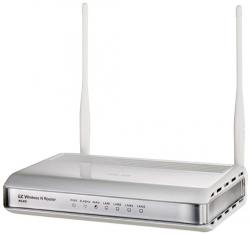 got a laptop and I suggested they add a wireless router to their cable modem. I picked the ASUS RT-N11 and it proved to be good value, easy to set up and reliable. So I bought another for us.
Here is what I did:
- installed the latest generic firmware on the Speedstream. Optus and Telstra both produced firmware for use with this modem but I didn’t want any provider-specific features or settings confusing my setup. Firmware and lots of info about this modem is available from http://www.modemsupport.com.au/ [This site seems to be down at the moment, 18 May 2013, so try this for more info: http://shadow.sentry.org/~trev/4200.html]
- here are some instructions for bridging the Optus version
- put the Speedstream into bridge mode, so that all incoming packets are just sent to the Asus router. (Note that while in bridge mode the web configuration utility is not available so if you want to leave bridge mode you need to reset the modem to factory defaults and start configuration from scratch). I found a few different procedures for entering bridge mode. I read this whirlpool post but ended up following this HOWTO written by Jacob Comber. Except that my modem with generic firmware has IP 192.168.1.1 and not Telstra’s version with 10.0.0.1 That made things a little easier later because all the devices on my LAN have manually set IPs in the 192.168 subnet.
- After setting the modem to bridge mode I just connected the RT-N11 to the modem and to my PC and went through the router’s web setup utility.
For the record this is how to return the 4200 to factory defaults:
- Using the tip of a ballpoint pen or unfolded paperclip, press and hold the Reset button located on the bottom of the modem. The pwr LED will blink red once, indicating that the reset has begun.
- Continue depressing the Reset button for four seconds or until the pwr LED begins to blink alternating red-to-green.
- Release the Reset button.
Postscript
In October 2012 to improve wifi coverage and to give me more control I bought an ASUS RT-N16 to replace the RT-N11, which I’ll keep as a spare.